


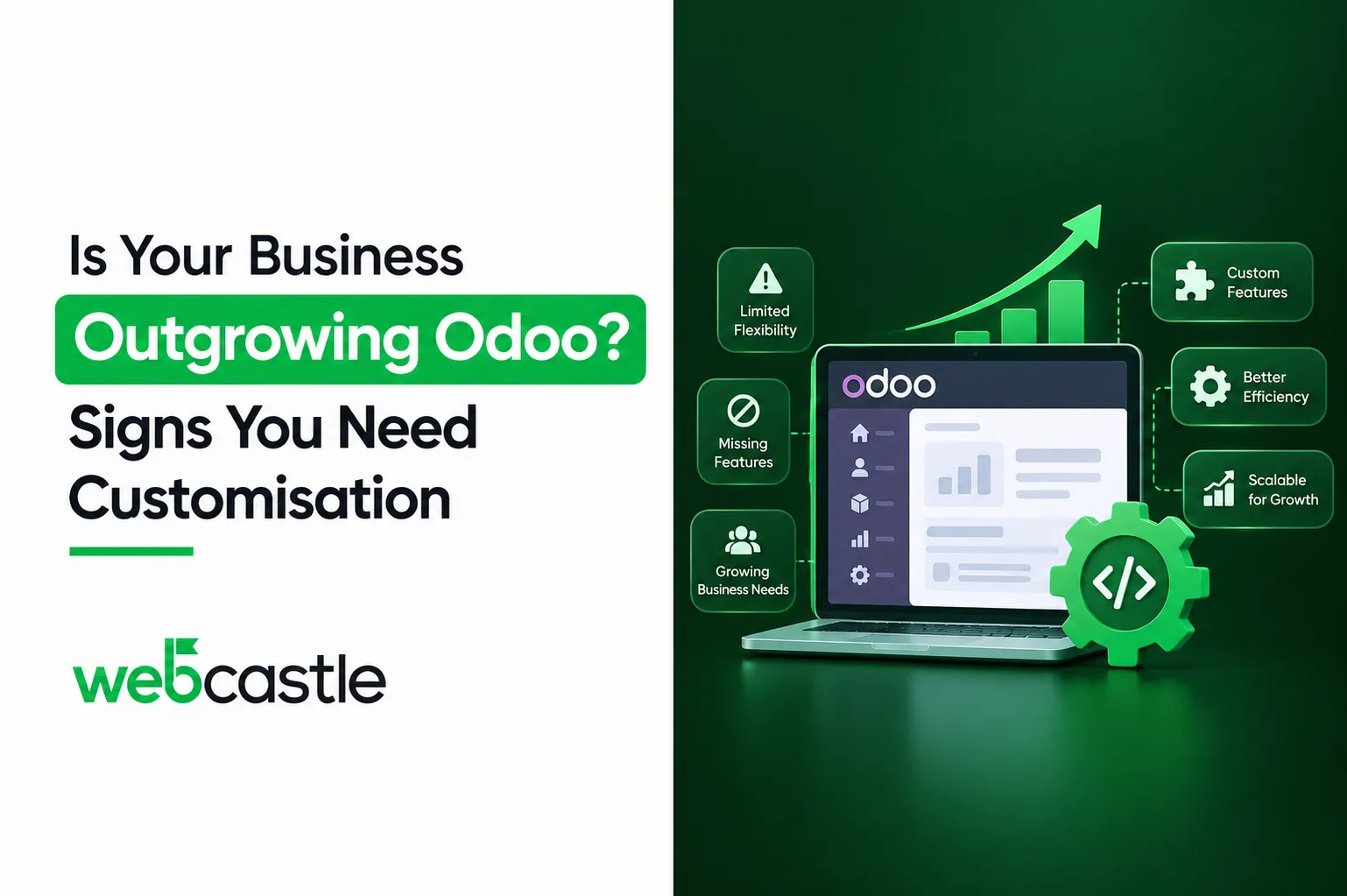
Odoo handles many common business processes through its standard features and configuration options. However, as a business grows, some processes may become more complex and require additional functionality.
The challenge is knowing whether a problem can be solved through better configuration or whether Odoo needs to be customised. The following signs can help you identify when your business may need to go beyond standard Odoo features.
Most businesses never make that distinction. They either throw money at custom code too early, or they wait two years too long and lose the operational visibility ERP was supposed to give them in the first place. This blog draws the line clearly, with the actual technical distinction Odoo itself uses (configuration vs. customisation).
As a business grows, its needs can change. You may have started with Odoo because it offered a flexible and affordable way to manage sales, inventory, accounting and CRM in one system. Over time, new product lines, additional warehouses or more complex reporting requirements can make standard Odoo features less suitable for your processes.
This does not mean Odoo is no longer suitable for your business. It may simply mean that your current setup needs to go beyond standard configuration and include additional customisation.
What Does Odoo Customisation Mean?
People use the word customisation loosely. It actually splits into two very different things, and mixing them up costs businesses money.
- Configuration means using Odoo’s built-in settings and Studio tool to adjust fields, workflows, approval chains, and document templates. It involves zero code, and anyone with admin access and patience can do it.
- Customisation means writing or modifying code: new modules, altered logic in existing modules, custom integrations with external systems. This requires a developer.
The distinction isn’t academic. Odoo’s own documentation is explicit that changes made through Studio stay protected under the standard upgrade process, as long as Studio remains active on the account. Code written outside Studio, including third-party or in-house custom modules, is excluded from that protection unless it’s separately covered under a maintenance subscription. So, a badly planned custom module doesn’t just cost money to build. It becomes a standing liability every time Odoo releases a new version.
7 Signs Your Business Needs Odoo Customisation
Odoo configuration can solve many common business needs. However, some situations may require customisation.
- Your team relies on spreadsheets for tasks Odoo does not support.
If sales, operations or finance teams regularly use separate spreadsheets because Odoo cannot handle part of the process, you may need additional functionality. - Odoo’s approval workflows do not match your business process.
If you need multiple approval levels, rules based on order value or region, or special approvals for certain clients, standard workflows may not be enough. - Your business needs industry-specific features.
Some businesses need functions that are not available by default, such as batch tracking, construction contract management or specific VAT processes. - Reports require regular manual work.
If your team exports data from Odoo and rebuilds reports in Excel every month, custom reporting may help reduce this manual work. - Odoo does not connect properly with your other systems.
If your CRM, accounting system, e-commerce store or POS requires manual data entry or reconciliation, an integration may be needed. - User roles and permissions do not match your organisation.
As your business grows, standard user roles may not provide the level of access control needed for different teams and responsibilities. - Your workarounds stop working after Odoo updates.
If manual fixes, browser extensions or other workarounds need to be rebuilt after every update, a proper custom solution may provide a more reliable approach.
If two or more of these sound familiar, configuration alone won’t fix it. That’s a customisation conversation.
Odoo Configuration vs Customisation: What Do You Need?
Many businesses consider custom development before checking what Odoo Studio and standard configuration can already handle. This can add unnecessary cost and complexity.
Before approving custom development, consider these questions:
- Can the requirement be handled by adjusting fields, views or automated actions in Odoo Studio? If so, configuration may be the more practical option. It is usually faster to implement and easier to maintain through upgrades.
- Does the requirement involve new business logic that is not available in the existing Odoo modules, or a two-way integration with an external system? This may require custom development.
- Is the issue a one-time reporting need or an ongoing limitation in how your business operates? One-time requirements may not justify custom development, while ongoing process limitations may need a more permanent solution.
A reliable Odoo partner should recommend configuration when it meets your business needs, rather than suggesting custom development for every requirement. If discussions with your ERP provider consistently lead to proposals for building new features, it may be worth reviewing whether those requirements can be addressed through existing Odoo functionality or configuration.
How Odoo Customisation Can Support Business Growth
If done properly, customisation isn’t just an expense. It’s what turns Odoo from generic software into infrastructure built around how your business actually runs.
- Faster decisions: Real-time dashboards built around your specific KPIs replace end-of-month spreadsheet reconstruction.
- Fewer manual errors: Automated approval routing and validation rules catch mistakes before they ever reach your books.
- Scalable operations: A properly built custom module can absorb new product lines, new branches, or new markets without a system rebuild.
- Compliance that runs without constant oversight: VAT reporting, audit trails, and region-specific tax logic, built once and maintained centrally instead of patched manually every quarter.
- A single source of truth: When every department pulls from the same customised system instead of separate spreadsheets, arguments over whose numbers are correct disappear.
None of this happens automatically just because code got written. It happens when customisation is scoped against an actual operational gap.
What to Consider Before Customising Odoo
Before you approve anything, get honest answers to these:
- Will this survive an Odoo version upgrade? Code outside Studio needs a maintenance plan, or it becomes technical debt with a due date.
- Who owns the code once the project ends? Some agencies build custom modules that only they can maintain. Ask for documented, portable code before you sign anything.
- Is this solving a real bottleneck, or a preference? Wanting a feature is not the same as that feature costing you money every week.
- What’s the maintenance cost? Custom modules need ongoing support. Budget for year two.
- Does your team actually need training on top of the build? A perfect system nobody knows how to use isn’t a win.
Avoid these questions, and you end up with exactly the kind of unmaintainable custom code Odoo’s own upgrade policy warns about.
Conclusion
Outgrowing standard Odoo isn’t a failure on your part. It’s what happens when a business does what it’s supposed to do: grow, add complexity, and demand more from its systems. The mistake isn’t needing customisation. It’s guessing at what kind you need, or it’s hiring someone who reaches for custom code before checking if configuration would do the job for a fraction of the cost.
If your team is spending more time working around Odoo than using it, it may be worth reviewing the system and its current setup.
WebCastle Technologies works with businesses across the UAE on Odoo implementation and customisation, including solutions for manufacturing, construction, trading and real estate.
If you are deciding between Odoo configuration and custom development, a technical review can help identify the right approach and define the actual scope of work before development begins. Contact our team to discuss your Odoo requirements and explore the right approach for your business.